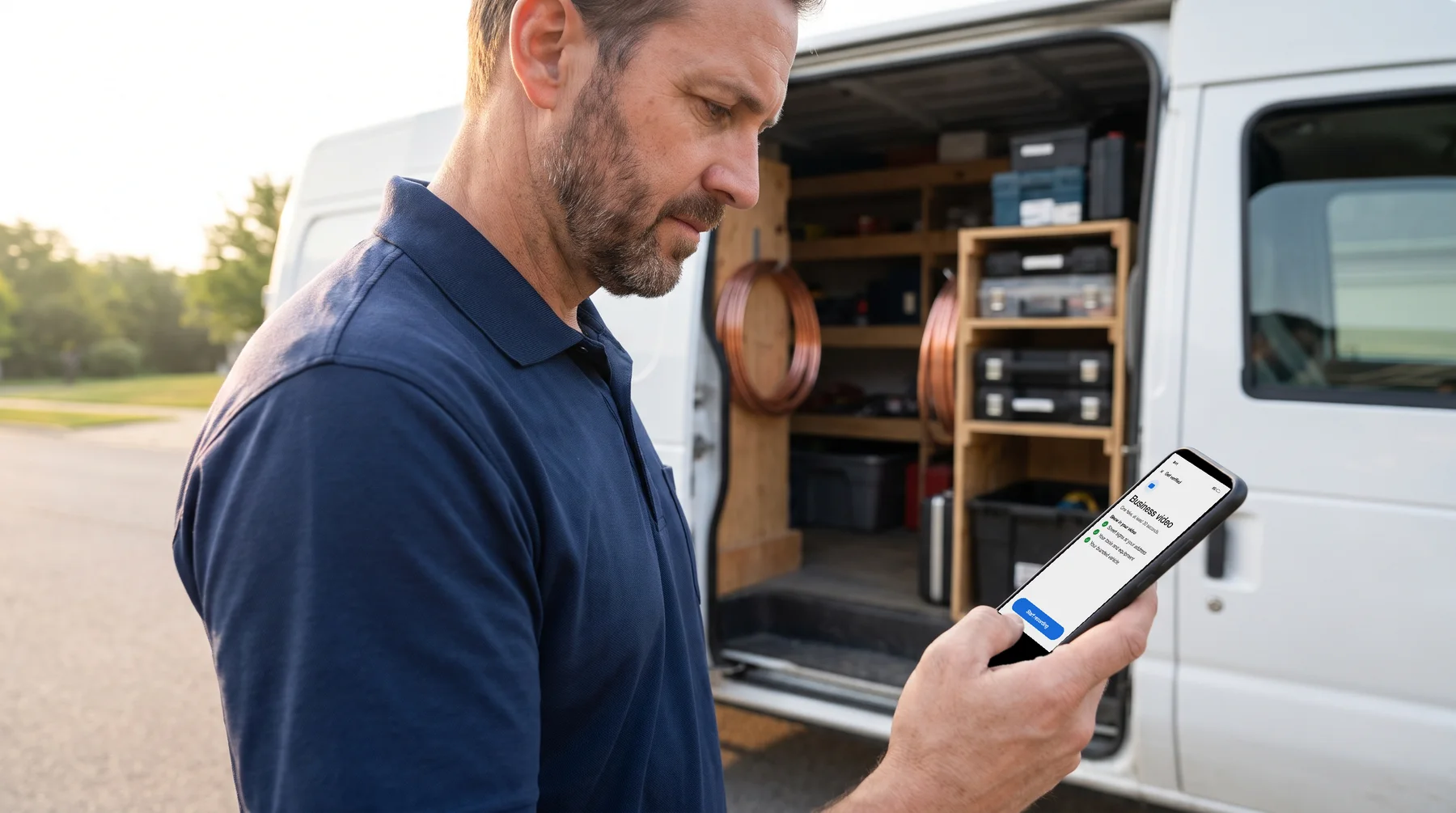
Only verified businesses can show their information on Google Maps and Search (Google Business Profile Help). Until your profile is verified, you also can't edit your info on Google or reply to customers (source).
Is it worth getting verified on Google? Yes: until you verify, Google does not show your info on Maps or Search.
Google picks how you verify. "Verification methods are automatically determined by Google and can't be changed," and some businesses need more than one (source). Your profile shows you the options you have. Below is every method, then what to do if you still don't show up.
Who can have a Google Business Profile
Your business qualifies "if your business either has a physical location that customers can visit, or travels to customers where they are" (Google's guidelines).
A few rules from the same page that trip people up:
- If you go to your customers (a service-area business), Google says you "should hide your business address from customers."
- Virtual offices and rented mailing addresses where you don't actually operate are not eligible. P.O. boxes and mailboxes at remote locations are not acceptable addresses.
- Your business name should match the name you use in the real world. Don't add taglines, store codes, hours, phone numbers, URLs, service descriptions or location details to it.
(Google Business Profile guidelines)
Do I need an LLC to put my business on Google?
Google's guidelines page does not list an LLC or any business registration as a requirement. It does limit how you write it: LLC, LTD or INC in the business name is generally not allowed unless real-world proof, such as your signage or invoices, shows it as part of the name (source).
How does my Google Business Profile get verified?
Sign in with the Google account that manages your business, then search your business name on Google or go to business.google.com to open your Business Profile (source). Select Get verified. You will see one or more of these methods (Google Business Profile Help).
Phone or text. Select Phone or SMS and enter the code you receive. If your business line runs through an IVR system (a phone menu), it will not receive the code.
Email. Select Email and follow the steps in the email Google sends you.
Live video call. Select Live video call, then Next, choose your language, and select Start call. This is only available during your location's business hours.
Postcard. Select Postcard, confirm your mailing address, and request the code. When the postcard arrives, enter the 5-digit code in the "Code" field and select Submit. "Most codes arrive within 14 days," and codes expire after 30 days.
While you wait for a postcard, don't edit your business name, address or category, and don't request a new code. Either one can invalidate the code on its way to you. Google never asks you for the code (source).
How to verify with a business video
If Google offers Business video, you record a short video on your phone (Google Business Profile Help):
- Open your Business Profile and select Get verified. If asked, enter your phone number and select Next.
- Select Business video, then Next.
- Allow location, camera and microphone access, then select Next.
- Select Start recording and record.
- Review it. If something is missing, select Try again.
- Select Upload video.
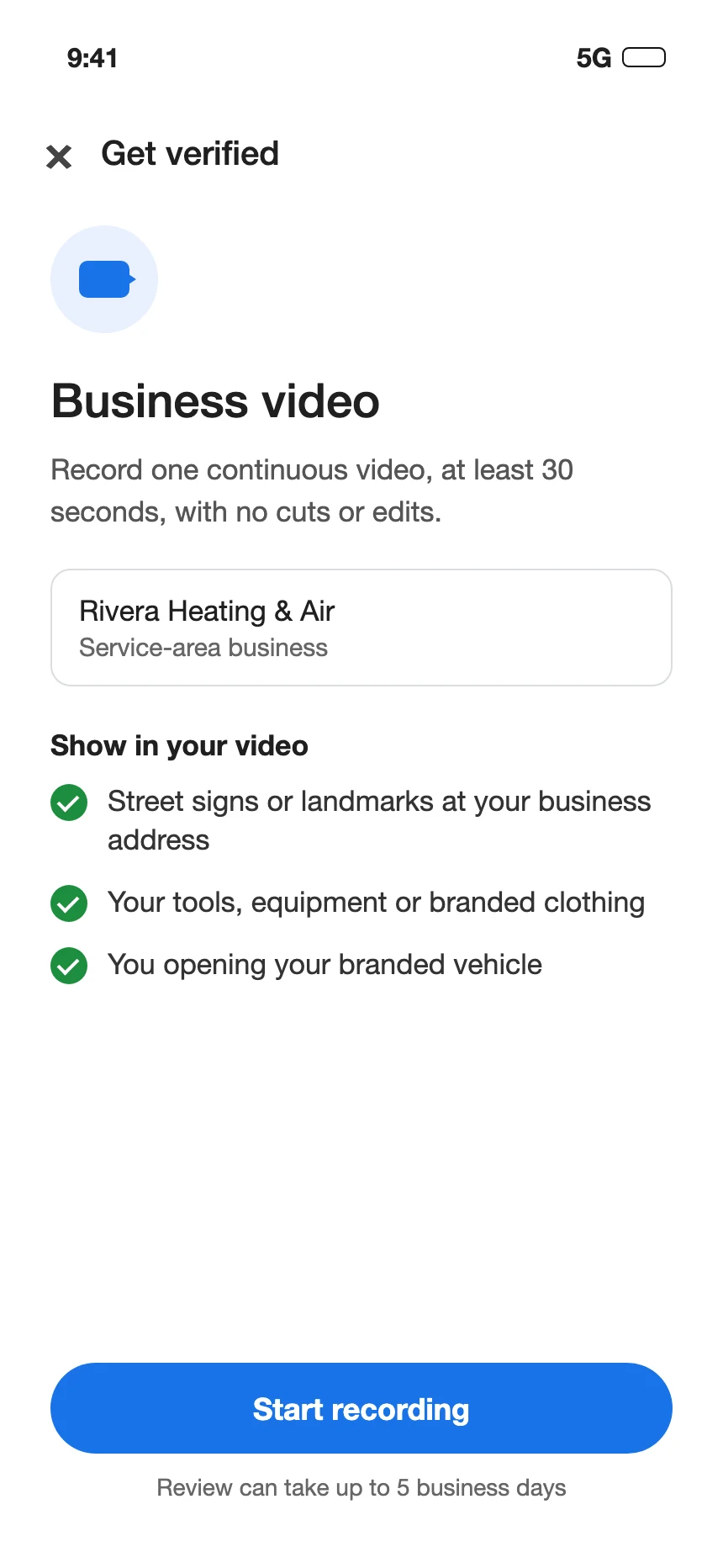
The video has to be recorded live in one take, with no cuts or edits, at least 30 seconds long, and recorded and uploaded from a mobile device through your Business Profile (source).
What to show, per Google (source):
- Storefront and hybrid businesses: your location (street signs, building numbers, nearby businesses); your storefront or signage with the business name on a permanent fixture; and proof you run the place, such as staff-only areas, the cash register, the kitchen, storage or your point-of-sale system.
- Service-area businesses: street signs or landmarks at your business address (avoid filming empty land); your tools, equipment, workspace, business cards or branded clothing; you performing a service or opening a branded vehicle; or a business permit, invoice or utility bill with a matching name.
Keep bank, tax and ID numbers, private information and other people's faces out of the video (source).
If the video fails review, tap Review issues and record a new one with everything from the first video plus what was missing. You can delete the video later at Business Profile settings > Advanced settings > Video uploads > Delete videos (source).
How long does it take for a Google business to get verified?
After you finish the steps, Google's review takes "up to 5 business days." Some profiles are verified instantly, for example when the business has already verified its website with Google Search Console, Google's tool for website owners (source). A business video review can also take up to 5 business days (source).
If you go the postcard route, add the mail time: most codes arrive within 14 days (source).
How much does it cost to verify your business on Google?
Google's verification page does not mention any cost (source).
How do I know if my business has been verified?
If the Get verified button is still on your profile after you finish, Google could not fully verify your business, and you need to try another method from the ones your profile shows (source).
Why is my business not showing up on Google?
Google's own list (Google Business Profile Help):
- It isn't verified. Only verified businesses show their info on Maps and Search.
- Your info is incomplete or outdated. That can lower your local visibility.
- The profile was disabled or suspended. A profile that breaks the guidelines can be hidden until the problem is resolved. The notice goes to the Google Account that manages the profile, so check that inbox.
- The business is new. "Rankings for new businesses can take up to a month to appear in search results."
- You just made changes. Edits "can take up to 3 days to appear."
To check your own profile, sign in to the Google Account that manages it, then search your business name and city, or search "my business" (source).
If your reviews are what's missing, our guide to Google reviews covers why they don't show.
How to rank higher on Google Maps
Google ranks local results mainly on relevance, distance and prominence. Prominence draws on factors such as links from other websites and the number of reviews and ratings you have; Google says "more reviews and positive ratings" can help (source).
What Google tells you to do (source):
- Verify your business.
- Keep your address, hours, special hours, category and attributes complete.
- Respond to reviews.
- Add photos and videos.
- Add your in-store products, if you are an eligible retailer.
On your own website, your web person can add a hidden block of code that lists your business name, address, hours and phone in a format Google reads. Google says it can give Google your hours, address and other location details, and Google is clear that it "does not guarantee that features that consume structured data will show up in search results" (source).
Can I pay Google to rank higher?
No. "There's no way to request or pay for a better local ranking on Google" (source). If someone offers to buy you a better spot from Google, Google says that option does not exist.
What it costs you to wait
Every day the profile sits unverified, your business is missing from Maps and Search (source). Most postcard codes arrive within 14 days, and Google's review can take up to 5 business days after you finish the steps (source). Rankings for a new business can take up to a month to appear (source). In the meantime, Google shows searchers the businesses that are verified.